cancel
Showing results for 
Show  only  | Search instead for 
Did you mean: 
KERR
Making moves
Status: Delivered

Currently I'm doing research on a heap of products, and collating into an online spreadsheet. I'm wearing out the Ctrl+Tab keys flicking back and forth, copying/pasting etc!

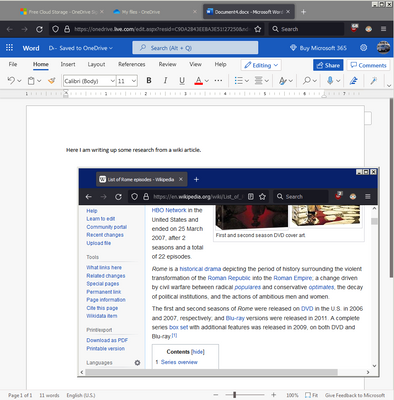
It would be awesome to "pop-out" a tab and have it "float" on top like what Picture-in-Picture does. I know you can the tab in a new window, resize it, move it etc but it still doesn't stick on-top and has borders that take up space.
KERR_0-1649727846456.png

I've seen extensions that try to do split screen for tabs but they don't seem to work very well. Thanks!

237 Comments
osvkadasevci
New member

It`s a great tool. Make a work easier. Thank you.

Status changed to: Delivered
Jon
Community Manager
Community Manager

Great news - our Split View feature shipped in Firefox 149 🎉

Try it out and let us know what you think. And as always, thanks for your help pushing this work forward and shaping the feature with your feedback! 

Agentvirtuel
Collaborator
Georg-Elias
New member

Hello, I have some feedback on the new split screen feature.
It is useful, however I do not like how the position of the tab in the tab list changes it's position whenever I seperate a split tab. For example: I have a tutorial video on the left, where a lot of my other tutorials are in the tab bar. I want to open the article, which was on the right side of my tab bar at the top, so it was a newly opened tab. If I then use the split screen on the tutorial tab and open the article, it works. HOWEVER, after closing the split the article moves next to the tutorial. So the order of my tabs is messed up.
TLDR: I don't like how adding tabs to the split screen changes the order of them compared to how they were before.

myssv
New member

Pinned Tabs should also be available for split screen when I can shoose the second half

leno
New member

I think it's good that the new feature https://blog.mozilla.org/de/firefox-de/split-view/ has been introduced.
But, after bad experiences with other products (not Mozilla) where you can and should use new features, I'm also missing instructions here on how to disable split view after using it (perhaps right click on one of the half sized tabs?).
It's happened to me several times that I've enabled something and then couldn't easily get rid of it.

vuz3y
New member

I'd love to have the option to split the tabs horizontally and not only vertically. This would be especially useful for the display that I have in portrait mode to my side.

mattrodrig97
New member

love love love this!!! being a Firefox user feels so good these days with changes like these. 

while there's some early bugs to be worked out, this is a really great update! 

zapc
New member

@Jon 
The split view is nicely implemented and looks good. But I'm desperately missing a (customizable) keyboard shortcut to open/close split view (at least I can not find it in the about:keyboard). For me this is the difference maker between 'I tested this feature a few times' and 'I use it everyday', since without shortcut using multiple windows is more comfortable and faster for me. 

Also I'm wondering about the decision to only allow for two tabs to be splitted. For people using a medium or big screen (not even talking about ultra wide) splitting at least 3 or 4 tabs surely would make sense to a bunch of users. Is it so much harder to implement for n-splitted-tabs or why not let the user decide how many tabs he wants to fit in the splitted view?

Jeanuel
New member

Thank you for implementing the split view. It is really a feature that brings a great progress!

Now, it would be great if it were possible to open a link from one tab to the other, without closing one first (the new page simply replaces the previous one)

Example of a uage: search engine in the A tab and open the sites in tab B, keeping the list before the eyes.

Guildieval
New member

Verry bad for my accessibility settings. I have no access to "open to new tab" anymore since the option appears out of screaan so I can either open the new onglet in the same onglet (I'm bad at english sorry) or open in a new window.
All I see if stuff is always getting worse for peopel with big invalidities like me who have neurological handicaps...
It's a pain in the A. I have to copy the link of what I want to open, open a new onglet, past the link and open it old fashion way.

I arleady have many problems with captch and accebility so the team of medical personnels around me are seriously thinking about placing me under curatel (guardianship I guesse) so thanks guys 👍Hope you'll understand one day how it feels so you could keep that in mind before changing things this much with no way to switch it off.

neuralrift
New member

@Jeanuel  I had the same use case after moving from Edge to Firefox: keeping a search/results page on one side and opening clicked links on the other side, where the right side simply gets replaced each time.

I created a Firefox add-on for this workflow: https://addons.mozilla.org/en-US/firefox/addon/split-view-router/

It is not an official Mozilla feature, but it may help users who want Edge-like automatic left-to-right link routing while Firefox’s native Split View continues to evolve. Feedback is welcome.