cancel
Showing results for 
Show  only  | Search instead for 
Did you mean: 
KERR
Making moves
Status: Delivered

Currently I'm doing research on a heap of products, and collating into an online spreadsheet. I'm wearing out the Ctrl+Tab keys flicking back and forth, copying/pasting etc!

It would be awesome to "pop-out" a tab and have it "float" on top like what Picture-in-Picture does. I know you can the tab in a new window, resize it, move it etc but it still doesn't stick on-top and has borders that take up space.
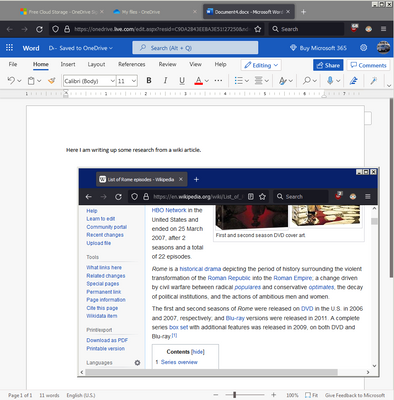
KERR_0-1649727846456.png

I've seen extensions that try to do split screen for tabs but they don't seem to work very well. Thanks!

237 Comments
asafko
Employee
Employee

@coconutcrab1234 I'm sorry to hear you had troubles with this!

The blog post is a bit of an ephemeral place, so we typically post support articles with all of the details on SUMO (support.mozilla.org). Full instructions for Split View (including on how to separate tabs / dissolve it) are available  in this article

asafko
Employee
Employee

@mrpapuj @Momie @Ramouz @20424279 @maestro2026 

Inability to add pinned tabs to split views is a temporary deficiency that we hope to address soon.  Pinned tabs, are, to my personal chagrin, are used by less than a few % of Firefox users, and we wanted to make the core feature functionality available and useful to the majority of Firefox users, before handling more complex cases (as opposed to keeping the feature in Nightly for longer).

May I ask you what your expectations would be for these cases:

  • 2 pinned tabs that are not next to each other are added to the split view, then separated 

Would you expect that, upon separation:

  • these tabs would be located next to each other?
  • OR one that moved to return to its original location? 


  • 1 pinned and 1 non-pinned tab tabs are added to the split view

Would you expect that:

  • the resulting split view is located in the pinned tabs area?
  • upon separating the split view - that the non-pinned tab remains pinned OR returns to its original location in the tab strip?
asafko
Employee
Employee

@KenByrd 

Thank you for your feedback! We are planning to show folks who try split view the message pointing to the Split View URL button to show that it's possible to reverse, separate, or close both tabs in one click, even without using the context menu. 

We also have support of additional vertical splits on our backlog. 

I'm curious about the bolded part of your note:

> Also, should be able to have more than just two tabs comprising a split arrangement — both at initial creation of the split setup, and then to later add additional (and, of course, to then be able to later remove specific).

Currently, you can replace a tab in the split view by typing in the URL bar of the tab you want to replace and opening any other website you want. Does this feel non-intuitive or is there another issue you experience with this approach? 

asafko
Employee
Employee

@Stormist  

I am very sorry to hear this! I'm hopeful you'd consider giving it another try. You can close the split view from a handful of entrypoints: 

  • The address bar icon for a split view tab.
  • The ⋮ icon in the split view footer.
  • The tab right-click (or hold down the Control key while you click if you're on macOS) menu.

    You can also dissolve a split view by closing either tab in the pair.

    I attached a few screenshots, and to remedy this at scale, we'll consider a message for users who created their split view that pointing to the Split View toolbar button and notes that one can reverse, separate, or close both tabs from it. 

    tab right click context menu.png
  • split view url bar icon.png
uwawa
New member

I like split view 🙂 Convenient and reduces the amount of windows I flip through when alt tabbing. Letting me keep both tabs up after clicking on another window (as opposed to fixing the setup once it's interrupted) is extremely convenient, as I frequently work with 4-5 tabs at once.

I personally use 1:1 ratio split view the vast majority of the time, but I do agree with some users that being able to set the default split view ratio through settings (so casual users don't need to deal with it) would be useful.

I would enjoy being able to split further, into 3-4 tabs. However, the current version functions very well for me.

asafko
Employee
Employee

@Menaan 

Thank you so much for your feedback! Let me dive in to see if we can find solutions that may work for you: 
> First, if you start a split view, it'd be more intuitive and convenient if you can just select a tab in the open tabs for the 2nd half of the view. Having a separate list of tabs to select in the newly opened half is a little awkward.

> Second, if I'm on a tab and right click a different tab that isn't currently open and add to split view, it should create a split view with the current tab and that other tab. Not just open the other tab in split view prompting me to select a tab to view with it.

We plan to support a shortcut that enables a somewhat similar behavior (without the need to use the context menu on the second tab) in Firefox 150 that ships on April 21. 

Just hold the Alt / Opt while on the first tab you want to add to the split view, then click on the second one, and split view from these two tabs  will be created. 
Short term, we do not plan to support adding tabs to existing split views from the context menu. If you have multiple partial (with one tab open) split views, then the interaction becomes much complex and more akin to adding tabs to a tab group. 

> Third, it breaks tab grouping. Pulling a tab out of whatever group it is in, and then if you separate the split view it doesn't put the tab back where it was. It should at the very least put the tabs back wherever they were. Better yet would be to not pull it out of the groups to begin with and just render the tab contents in the split view but still leave the original tab where it was accessible without it being in the split view.

There are a couple of cases when it comes to the split view and grouped tabs and I'm curious which one of these do you find more problematic:


1. If the active tab is in a tab group, the split view is created within that group.
2. If the active tab is not in a tab group, and the other tab is, the grouped tab is removed from its group and the split view is created where the ungrouped tab was.
3. If both tabs you select are in different groups, the split view is created within the group where the active tab is.

While we settled on the current approach based on testing expectations of a small group of folks, I understand that these preferences are subjective and may not scale up (for instance, many – but not all – people would not want to leave the original tab where it was accessible without it being in the split view because it can create additional tab clutter and duplicates in the tab strip.
I wonder if we can achieve what you’re after by offering an option to Duplicate in the Split View, in addition to Move Split View option (I attached the screenshot of where the existing option is offered in Firefox Suggest). Curious what you think about this approach?

suggest - potential spot for additional action next to move to split view.png

BryanAshby
New member

Nice, but it doesn't work in pinned tabs.  The Add Split View is grayed, with no explanation.

asafko
Employee
Employee

Hi @ngdangtu 

Thank you for your kind words about the feature and extended feedback! We are certainly committed to polishing it over time.

Here are the things we’re already working on or are already possible:
> 2. Context menu for select 2 tabs should have an option for "combine as split view". I'm pretty sure FF has ability to select multiple tabs, so it should be highly possible.

This is already possible – if you select two tabs, tab context menu option will show you “Open in Split View” option – click it, and it will create a split view out of the two tabs you selected.

> The rounded corners artifact

This should go away in one of the coming Firefox versions. 

Here are the things we hope to support if we see reasonable initial adoption of Split View:

  • Horizontal split view layout support
  • Synced scrolling or “compare mode" feature that allows parallel scroll + a slightly transparent active view on top the inactive.

Some of the things that we’re not looking at yet, but will keep an eye for more requests to consider:

> Add some pre-made ratio layout like 1:1, 1:9, 2:8 (perfect for playing mobile gacha game), 3:7 . It can be even better if allow users create their own layout.

Just to make sure I understand, are you asking for ability to quickly choose a ratio for layout on an existing split view to avoid manually resizing it?

> Split can go well with Tab Group, we can "open group as split view". If group has more than 2 tabs, we can select a view and scroll through all the tabs in the group.

This sounds like a very cool idea, double checking if I got you right:
> Top site in blank should have an option to add a duo tile. Unlike normal tab site which left us add only 1 url per tile, this duo tile allows us add 2 url and select layout. Click on it and a split view with 2 tabs ready to use. Similar to duo bookmark.

Confirming that you want to be able to:
- bookmark a split view pairing, 
- add a split view pairing on New Tab / about:home as a shortcut. I’m curious how do you currently add New Tab shortcuts, since they are dynamic, and at best, one can edit and pin them?

- would you be also interested in pinning split view pairings? 


asafko
Employee
Employee

@_playerx Hi! Thank you so much for your kind words, very happy you're enjoying the feature!

The support for the first split view shortcut will ship in just a few weeks, on April 21st – you'll be able to hold the Alt (Windows) / Option (macOS) while on the first tab you want to add to the split view, then click the second tab, and split view from these two tabs will be created. Here's a bug to follow.

And the context menu option for links will ship in Firefox 150, too.

fpmalin
New member

Has its uses. I would like to see full-width top/bottom arrangement as an option. (Some things just can't be done half-width.)

DaveduFeu
New member

Split view is great, but doesn't work for me with pinned tabs.   This is important as the tabs I use most often are all pinned, to take up less space on the bar.

Momoatff
New member

Does it also work on iOS? Mine (V149.2) doesn‘t.

Joanna1
New member

It's good that Firefox is finally getting this functionality. Brave browser has had this for years and I really miss it. I think Brave also has a quad split view where you can split the screen with 4 tabs at top left, top right, bottom left, and bottom right. I was surprised that Firefox didn't already have this and I couldn't find an extension to do this . But I don't want to use Brave, it being based on Chromium.

Momie
New member

@asafko  #M63507

For both cases i'd like a return to originals locations. I use several pinned tabs for same website (so same icon too) so keeping my order unchanged is important to me.

Second case : yes i'd like to see split view in the pinned tabs area.

RraaLL
New member

I'm not a fan of the light blue focus outline in Firefox. I find it particularly distracting here in SplitView. It's the largest focused area so far.
I'd love a way of changing this color to something else. Maybe even remove it, but that's not a necessity if I'm able to change it to a less contrasting color.

Also, I don't know why, but the left tab has the right side of the outline covered by the right tab or its own scrollbar. I don't know why.

Screenshots:

Spoiler
RraaLL_2-1775895141854.pngRraaLL_1-1775895040122.png

And on the topic of screenshots - it'd be nice to have an option to extend the currently possible screenshot areas to the entire SplitView window, not just a single tab - so as not to have to rely on outside browser tools.
In this particular example, the focus would've probably been lost when taking a screenshot anyway or directly ignored as outside the viewport. Still, it will be useful in regular use. For sharing comparisons.

Another useful feature would be a togglable synchronized scrolling between SV tabs. Helpful when editing posts, articles, wikis, etc. - or simply comparing their versions.