cancel
Showing results for 
Show  only  | Search instead for 
Did you mean: 
KERR
Making moves
Status: Delivered

Currently I'm doing research on a heap of products, and collating into an online spreadsheet. I'm wearing out the Ctrl+Tab keys flicking back and forth, copying/pasting etc!

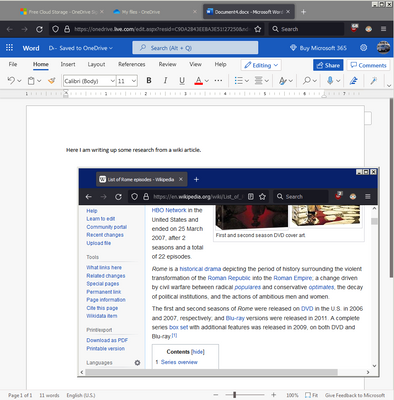
It would be awesome to "pop-out" a tab and have it "float" on top like what Picture-in-Picture does. I know you can the tab in a new window, resize it, move it etc but it still doesn't stick on-top and has borders that take up space.
KERR_0-1649727846456.png

I've seen extensions that try to do split screen for tabs but they don't seem to work very well. Thanks!

239 Comments
jwpollywogg
New member

Jim ... Timber

As with Microsoft Excel, split screens are a thing of the future. Not having worked with the "Split" screen very much, it would seem to me that instead of limiting my "Split" to vertical, it would seem to me that a horizontal split would be advantageous as well.  In this way the user could look at half of a full page of text and not be hindered by half of a vertical page and having to deal with one side having smaller text than the other.  Just sayin'...

Brew
New member

I use a split screen with Chrome on the left, to watch cable tv, and FF on the right bounce around on the interwebs.

Currently the "Split View" does not allow something like surfing around on the right side while watching TV on the left side

AntonioC
New member

I would like to be able to easily swap what is in one or the other of the split tabs. so if Im looking at siteA and siteB I would like to grab the tab where siteC is open and drop it on the split tab (or right click and choose this off a menu) and have it replace siteB. ideally siteB is now open in a singular tab, or if siteC was part of a split, it could go there. 

mp_99
New member

About the new Split View feature in Firefox 149: love it! I particularly like how it re-uses the address bar and generally maximizes the screen area devoted to the content of the page(s). Please tell me there's plans for more splitting: 3 horizontal panes is not unusual for ultra-wide monitors, and vertical tabbing can be quite useful when one wants to keep small content from different pages all visible at once (e.g. API docs). In Vivaldi, I've even used 3x2 grids for multi-dimensional data analysis...

niknik
New member

Finally. Almost.
Still not able to manage with just one window. Missing the capability to collect several tabs in one split. Thank you.

Zargon
New member

I just tried the split tab feature. The problem was when I finished with it I chose to separate the screens but it put them at the end of my open tabs. That in itself is the problem... I have over 100 tabs open and it put both them at the end. I had to roll back to almost the beginning to get to the main tab I was on before I executed the split. It would be nice if, when I chose to split the tabs up, to end up beside the main tab I was on at the beginning. Also, the tabs it created after the split were duplicates of the original tabs, making them redundant tabs... which I had to delete.

An option should be proposed as to where to put the split tabs, and, what to do with them if you choose to split them up.

20after4
New member

When I click the "back" button on my mouse while in a split view, the view that is focused is the one to navigate, even if my mouse cursor is on the opposite view when I click.  This feels counter intuitive, I'd expect that the view which was clicked would be the one to navigate.

WandersFar
New member

Split View worked well for me. If it’s going to be part of my regular workflow, however, I need hotkeys.

One hotkey to enter the Split View, another hotkey to exit the Split View would be sufficient.

Similarly I like the Pinned Tabs feature, but I seldom use it because it doesn’t have associated hotkeys.

Please create two hotkeys for Pinned Tabs: one to pin a tab, another to unpin a tab.

theghostjw
New member

This is great thanks!

PatrickD
New member

It was available in browsers a long long time ago.
I often asked myself why it was removed ?

AyeBraine
New member

It's a great new feature, really something I would use for work!

It has two things that basically kill it for me personally at the moment, though.

1) I need a quick option to REPLACE one of the two tabs in the split view slots. At the moment, as I see it, I have to separate the split view, then create a new one. It's unnecessary hassle that makes switching with Ctrl-Tab or mouse preferable as of now over split view. When I need to reference another tab and keep seeing the main one, I'll almost certainly will need to then quickly switch to some other tab as reference.

2) When creating a split view, I'm given the full list of tabs. If I have dozens or hundreds of tabs open, as is the norm for me, it's again quicker to just switch, instead of scrolling and looking for the needed tab (which is usually towards the end of the list). 

Desired behavior: 

1) Right-clicking on an existing split view brings up the option to REPLACE this part of the split view with any other tab (that instantly brings up the normal "choose tab" prompt), in addition to the option to separate split view

2) When creating a split view, the selection screen has a way to quick-select neighboring tabs, such as: a) two quick buttons (next/right, previous/left) to the sides of the prompt; b) a horizontal set of, say, 2, 3, or 4 quick neighboring tab buttons above or below the full list of tabs; c) maybe even a window (or a fading "blob") that the user can drag to quickly arrive at the desired tab, initially centered on the main split view tab and displaying the normal order of tabs horizontally.

Sander_Bouwhuis
New member

It works TERRIBLE! 0/10

I tried it by clicking on a random tab, and then choose 'Add split view'. I then expected to be able to select another tab or drag a tab to the other side, but it doesn't work.

Then, I tried it with another tab, but I then lost the first tab's content. Result? Two split views and both pages were GONE (empty) and the back button didn't work to get back to my original page. Luckily I use the addon 'Session Boss', or I would have lost my tabs.

Why release something this buggy to the world? GGGGGGGGRRRRRRRRR.

MeiMei
New member

I agree with @abbeast, I also have my second monitor vertically, so an option to split vertically would be highly appreciated.

Andralon
New member

The split-screen function needs the option to "fix" one tab on the screen while being able to open / view any other tab on the other side of the screen. To be able to toggle through every tab on one side. Not just to fix two tabs "together". Like when the side-bar is open. It's not "bound" to any specific tab. The way it works at the moment is very restrictive.

0x13f
New member

Loving split view! I think it would be a lot easier to use if it there was also a keyboard shortcut (configurable through about:keyboard) to open it, and maybe a context menu entry when right-clicking on a link to open the link in a new split view.