cancel
Showing results for 
Show  only  | Search instead for 
Did you mean: 
KERR
Making moves
Status: Delivered

Currently I'm doing research on a heap of products, and collating into an online spreadsheet. I'm wearing out the Ctrl+Tab keys flicking back and forth, copying/pasting etc!

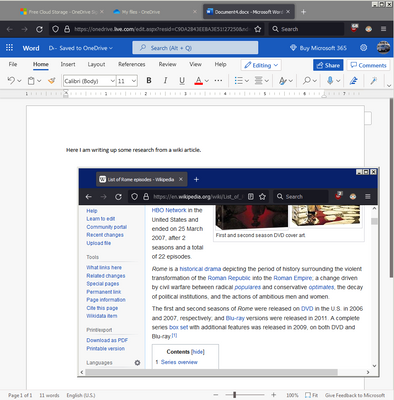
It would be awesome to "pop-out" a tab and have it "float" on top like what Picture-in-Picture does. I know you can the tab in a new window, resize it, move it etc but it still doesn't stick on-top and has borders that take up space.
KERR_0-1649727846456.png

I've seen extensions that try to do split screen for tabs but they don't seem to work very well. Thanks!

239 Comments
almoismynamo
New member

Love split view!

TimTom1
New member

For me it would help if i could merge two allready existing tabs. opening an new empty tab slows me down.

TonyC1
New member

Really like the split view, could be a nice bonus if you could synch the scrolling.

churks
New member

I would like to have some shortcuts or at least to set shortcuts for myself.

Some use cases that I can think of are:
- Use the current active tab and add the left tab from the active tab to the split view (added left tab to the left, active tab to the right) with single shortcut (or maybe with cursor keys left/right to open split view with left or right depending on the pressed cursor key)

- Pressing a link with the wheel key opens the link in a new tab, pressing a link with an additional keyboard key and mouse wheel to open the link in split view would be nice
- For now, moving a tab with the mouse on another tab starts a tab group. I would like to move the tab with a pressed keyboard key like ctr or SHIFT to open the tabs in split view.

user02
Making moves

This feature was obsoleted in 1968 with the introduction of windowing systems. There is no reason for the Firefox codebase to carry the weight of this feature. It properly belongs in the scope of the window manager. Please remove this complexity and overhead as it works against the overall system design for any system capable of running Firefox in the first place. This is not a wheel that needed to be reinvented.

tnleeuw
New member

Vivaldi is split-screen tabs done right.

When I want to split tabs, it is often to compare multiple products. Generally, more than 2 products. So the 2-tab limit that Firefox currently seems to have does not work for my most common use-case.

Vivaldi also makes tiling easy: just multi-select a number of tabs, and click a button on the toolbar to tile these tabs.

Firefox currently only splits tabs side-by-side. That is often fine, and is what I do most often, but occassionally it is useful to have tabs tiled differently. In a grid, or below each other.

I'm looking forward to seeing improvements to tab-splitting roll out in Firefox so that I will have fewer reasons to leave Firefox and go to Vivaldi!

Mudman
New member

I honestly don’t see the point of this feature. Placing two tabs side-by-side in a single window is exactly the same as having two separate windows snapped next to each other. This has been a native, perfectly functional feature of Windows (and other operating systems) for years.

I don't understand why Mozilla is allocating resources to "quality of life" gadgets that nobody really asked for, while significant bugs persist, certain versions remain unstable, and core browser essentials are still missing. Firefox should focus on its own fundamentals instead of trying to redundantly mimic the operating system's window manager.

simontpellier
New member

Thanks for this great great improvement! (soon on Librewolf ? I hope so !)

Fizzgig
New member

I would like to propose allowing the split to be done vertically as well for when using a portrait orientation screen

xiaofuse
Making moves

@Mudman I'm sorry but have you seen the rest of this thread? how is that "nobody asked for this"?
And no, split tabs are not the same as two windows snapped together, the rest of this thread discussed that aswell

Odile62
New member

Bonjour, je n'ai pas la possibilité de partager mon écran, bien qu'ayant la dernière version de Firefox. Normal ?


OrangeHedghog
New member

Firefox (149.0) just notified me of the availability of Split View.  Already loving it.  Thanks!

One of my core uses of FF is to read PDFs, and this is immediately going to make cross-referencing between two related PDFs so much easier.

educer
New member

As a teacher, this tool has made my lesson planning easier... I'm having books opened with some docs on the side... so easy and fast

private_lock
New member

Dragging Links is a mess.

From left tab to right tab, the link opens in the left tab. From right tab to the left tab, it just didn't do anything - maybe the website also interferes, if it accepts uploads via drag'n'drop???

Ideally I'd like to drag a link e.g. from a search result or the start-page of a newspaper to any edge (e.g. 1 cm or 50 pixel) and drop it there to start tiling. Whereas, when I drag a link into the center of a tile, I want that tile to navigate to the dropped URL, unless I specifically drop it into a text-box or on a file-chooser or something to accept drops.

Offering a menu of my open tabs is a nice idea, but it doesn't scale to 100 open tabs. First, I'd like the list to be sorted with recently used tabs at the top. Second I'd like a new little search field, that is prefilled with a "%" to only search open tabs to quickly type a few letters and select the match via cursor down. And as a cherry - if I backspace the %, I want it to accept any new URL, and finally pasting a URL should also replace the % and just open it.

And for the wishlist a tricky feature: Many websites offer to view pictures in a "lightbox" popup in front of the other content. I'd love a way for the lightbox to break out of it's tile and overlay all the tiles to really see the picture/content in large. This would surely showcase that tiling is superior to having extra Firefox windows duplicating all the toolbars on screen.

Actually: Is the split view open to Extension developers? - I'm sure in no time you'll see a bunch of Extensions evolving trying to weed out all the little bugs - maybe the makers of TileTab are still around? I Have been missing their Addon since it got crippled in the name of WebExtensions.

Tony-G
New member

I'm a mature developer and honestly I've been craving this feature for a month but had no idea it was in development.

I process web pages (launched from VSCode) and need a before/after view. Sure, until now I have always opened two browser windows, adjusted them manually side by side, got the width and height just right while still allowing for other windows to be slightly visible in the background. When I click on one of those other windows it covers either the before or after window. I need to find/click that one window to bring it back - sometimes both of them.
I also need to open the DevTools in one or both windows to see the markup. Doing that, again, requires manual fussing with each window which is now split into two views. I've been struggling with this for a long time, with this manual effort constantly interfering with my cognitive flow.

Now it looks like that specific problem has been solved. One window has both before/after views. I just need to resize one window - and I can drag it across multiple monitors and it stretches. And the F12/DevTools open in that one container for both tabs for minimal horizontal adjustment.

I can see the angst around here about this feature, expected it when I came here, and expect some heat for my support. Yeah, for most purposes I'll still pull tabs into separate windows, or launch New Window. But I gotta say for some activities it presents new value, and I'm very happy people took time to implement it.

Thanks Team!