- Mozilla Connect
- Ideas
- Tracking internet usage by firefox tabs
- Subscribe to RSS Feed
- Mark as New
- Mark as Read
- Bookmark
- Subscribe
- Printer Friendly Page
- Report Inappropriate Content

- Subscribe to RSS Feed
- Mark as New
- Mark as Read
- Bookmark
- Subscribe
- Printer Friendly Page
- Report Inappropriate Content
This idea could potentially have Firefox's entire image changed since it'd be practically the only browser that lets you actually see the internet usage of your tabs. And probably have their RAM usage alongside that too.
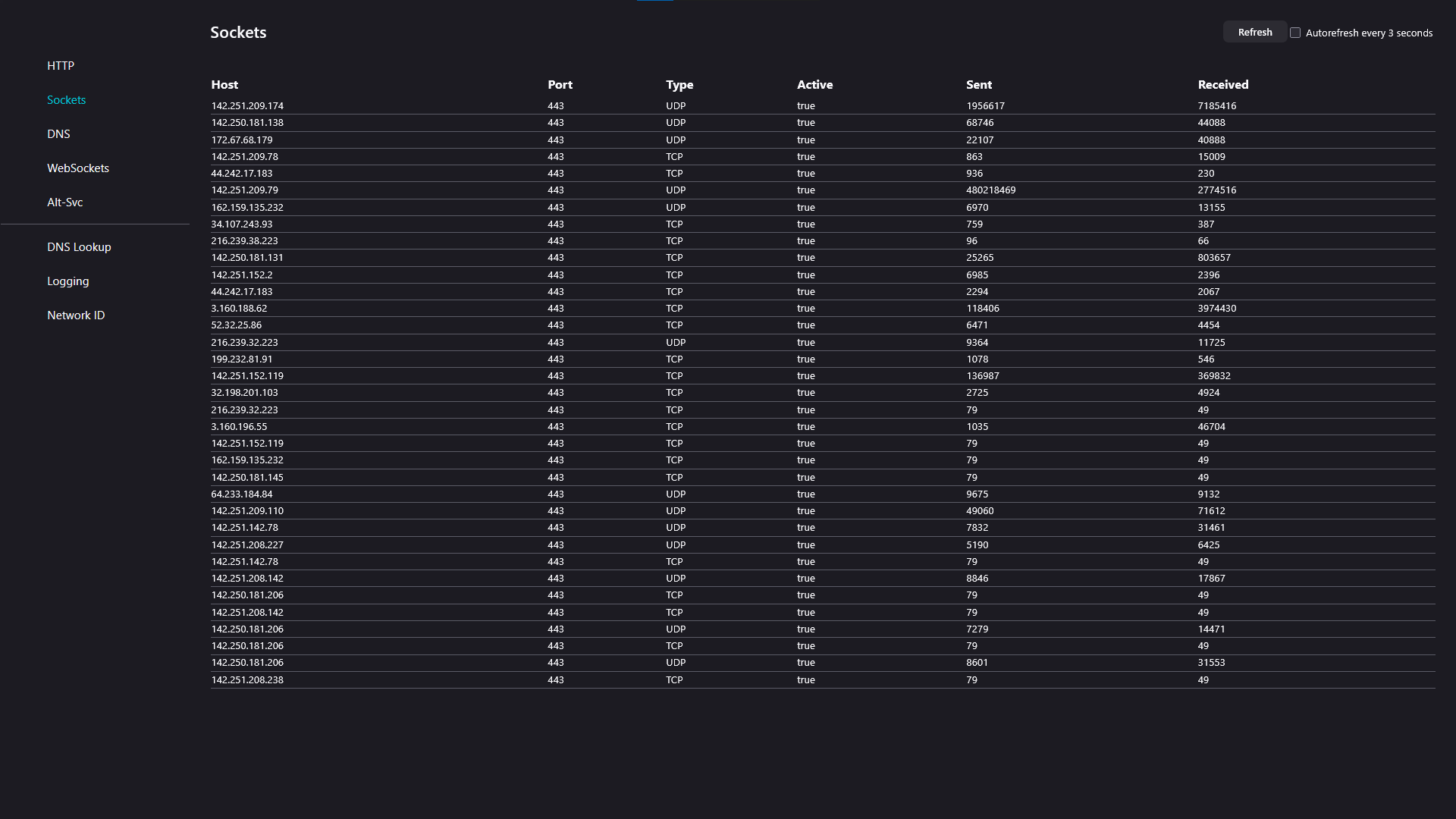
I get the fact that there are features but they are just too vague like the screenshot I attached, it's too complicated for normal casual people so I'm pointing out a feature that we can have in the dropdown menu.
After clicking the dropdown menu (The three lines), going into More Tools and finding Tab Usage or Network Usage (I know that there's a task manager in the same dropdown menu but that's for RAM and CPU usage explicitly).
This would make it extremely easy to point out which tab is using the most network speed or bandwidth. Like if I'm uploading a video to YouTube and watching TikTok and TikTok is lagging, I know YouTube is the cause but say that there's more tabs open like Twitch and Netflix which I've paused to watch TikTok but they actively take a few bytes to refresh and update.
This tab would just point out which tab is taking the most internet and ease it up on the user instead of having to go through about:networking#sockets and trying to figure out which is which.
If you have any replies or anything to me explicitly you can message me on discord: azter1ck
- New idea 9,569
- Trending idea 59
- Needs more 2
- In review 12
- Exploring more 10
- In development 58
- Not right now 9
- Delivered 241
- Closed 43
