cancel
Showing results for 
Show  only  | Search instead for 
Did you mean: 
KERR
Making moves
Status: Delivered

Currently I'm doing research on a heap of products, and collating into an online spreadsheet. I'm wearing out the Ctrl+Tab keys flicking back and forth, copying/pasting etc!

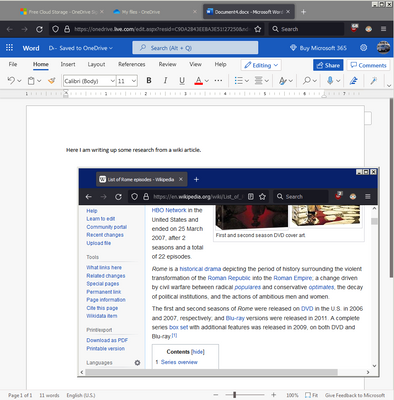
It would be awesome to "pop-out" a tab and have it "float" on top like what Picture-in-Picture does. I know you can the tab in a new window, resize it, move it etc but it still doesn't stick on-top and has borders that take up space.
KERR_0-1649727846456.png

I've seen extensions that try to do split screen for tabs but they don't seem to work very well. Thanks!

237 Comments
KenByrd
New member

Slightly better than simply using two separate Windows' Windows.  Mainly, bit easier to get into, and at least does keep one set of toolbars at top across entire combined width (which IS easier to then use).

Main deficit is that cannot rearrange order of the splits within the splitting after having created the split arrangement (with such order having to have been selected at the time of setting up such split, and you did not explain how to do so, although I did figure this one out).

Also, should be able to have more than just two tabs comprising a split arrangement — both at initial creation of the split setup, and then to later add additional (and, of course, to then be able to later remove specific).

Stormist
New member

I tried it but I couldn't close it. there was no "x" the click on, so I'm not going to use it.

mrpapuj
New member

It does not seem to work for pinned tabs. Why?

ngdangtu
Making moves

This is indeed a wonderful feature. But the implement is not polished yet. Here is some rooms for improvement imho:

  1. On the split blank view, we should have a fuzzy search bar for current activated tabs.
  2. Context menu for select 2 tabs should have an option for "combine as split view". I'm pretty sure FF has ability to select multiple tabs, so it should be highly possible.
  3. Split can go well with Tab Group, we can "open group as split view". If group has more than 2 tabs, we can select a view and scroll through all the tabs in the group.
  4. We should have both horizontal and vertical view layout.
  5. Add some pre-made ratio layout like 1:1, 1:9, 2:8 (perfect for playing mobile gacha game), 3:7 . It can be even better if allow users create their own layout.
  6. FF has container feature which can cause a bit confused on split view. We should have an container indicator like "split view" icon on address bar to tell which view belongs to which container. We have tab underline color but it isn't good enough for vertical bar.
  7. Top site in blank should have an option to add a duo tile. Unlike normal tab site which left us add only 1 url per tile, this duo tile allows us add 2 url and select layout. Click on it and a split view with 2 tabs ready to use. Similar to duo bookmark.
  8. "compare mode" feature that allows parallel scroll + a slightly transparent active view on top the inactive. This should be helpful for webdev, translator.
  9. [UI-to-improve :: red] The left edge outline (of the left focus view) got hidden away. 
  10. [UI-to-improve :: orange] The round corner (all four) of viewport show border while 


screenshot-20260331-082843.png

I'm posting this from FF linux, version 149.0 (64-bit).

ngdangtu
Making moves

@Stormist > I tried it but I couldn't close it. there was no "x" the click on, so I'm not going to use it.

You can close it by right click on one of two tabs in split mode and select "Separate Split View". But I understand that it is a bit inconvenience. 

ameyuuki
Strollin' around

Thanks @Jon . I was here in March 2024 and I finally got my wish in March 2026 with Firefox Windows desktop version 149.

Source: https://support.mozilla.org/en-US/kb/split-view-firefox

and https://www.firefox.com/en-US/firefox/149.0/releasenotes/


RJameson
Making moves

I am using the SideBery app and have hundreds of tabs grouped in their own panels by topics and have tab groups inside those as well (heavy research projects).   If I split view, and search - I have to go thru several hundreds of tabs to pick what I want - would be great to have a search there.   If tabs were in same SideBery panel, that works as they all are there and next to each other - I can then pick 2 tabs up top and add to split view.

Also, when you do split view in this setup, it moves the tab out of the Sidebery panel I have it located in and brings it next to the initial tab that called out the split.   Can you make it not do this by adding settings to control some of this?

Someone mentions a means to split view off to its own overlay/window - that may be cool as well.

CreatiXx
New member

A main issue i ran into instantly is that when i click on a hyper link within one of the 2 tabs of a split screen it opens outside of this split and takes over my entire screen which is a pity imo.

I think it would be cooler if it behaved like a (2-part) group where you've got your left side of tabs and right side of tabs but which you can also minimize if necessary. 

I think its a cool feature but i'm tabhorder so something along these lines is kinda a must for me to stick to it.

Landenl
New member

Good job.

1. Add ability to disable blue outline for a focused split-screen side.
2. Sync Scroll for Split-screen is a must have here.

Ramouz
Making moves

Ah.. I always get signed out of this FORUM. What an annoyance, can't stand using this.

I commented that why is there not a button like in Vivaldi and Edge? And, we do need it on pinned tabs too. This is a poor implementation so far even though I am glad to have it. They've had lots of time to work on this and yet it's missing features.

Menaan
Making moves

I don't know if this feedback about the new split view has already been provided. Tons of comments in this thread.

But I just got the feature today and have some initial feedback about it.

First, if you start a split view, it'd be more intuitive and convenient if you can just select a tab in the open tabs for the 2nd half of the view. Having a separate list of tabs to select in the newly opened half is a little awkward.

Second, if I'm on a tab and right click a different tab that isn't currently open and add to split view, it should create a split view with the current tab and that other tab. Not just open the other tab in split view prompting me to select a tab to view with it.

Third, it breaks tab grouping. Pulling a tab out of whatever group it is in, and then if you separate the split view it doesn't put the tab back where it was. It should at the very least put the tabs back wherever they were. Better yet would be to not pull it out of the groups to begin with and just render the tab contents in the split view but still leave the original tab where it was accessible without it being in the split view.

Momie
New member

Happy to see split view in firefox, i used to switch on an other browser when i needed it.

I'm wondering why i can't start a split view from a pinned tab, I hope it will come soon.

feierfuchs
New member

please add a shortcut natively. i was thinking about "shift+[ctrl/cmd]+click" on a link to open a link in a split view directly. hope it does make sense

coconutcrab1234
New member

A simple suggestion for the official Firefox instruction page on split view (https://blog.mozilla.org/en/firefox/split-view/😞

Please include instructions on how to UN-split-view the tabs!!! I eventually worked it out, but it's not immediately apparent, and whilst the blog page is useful for detailing how to enter split view mode, it's less-than-helpful when it comes to getting out of spit-view.

coconutcrab1234
New member

Ugh. My comment disappeared when I posted it. 

Simply this: on the Firefox blog page for split view, it provides clear instructions on how to enter the mode. But it has no information on how to exit split-view mode. I eventually worked it out, but it took longer than it should have. Please provide clear instructions on the blog page for how to exit split view mode.

https://blog.mozilla.org/en/firefox/split-view/