cancel
Showing results for 
Show  only  | Search instead for 
Did you mean: 
KERR
Making moves
Status: Delivered

Currently I'm doing research on a heap of products, and collating into an online spreadsheet. I'm wearing out the Ctrl+Tab keys flicking back and forth, copying/pasting etc!

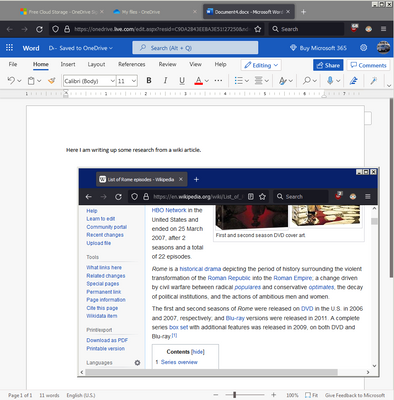
It would be awesome to "pop-out" a tab and have it "float" on top like what Picture-in-Picture does. I know you can the tab in a new window, resize it, move it etc but it still doesn't stick on-top and has borders that take up space.
KERR_0-1649727846456.png

I've seen extensions that try to do split screen for tabs but they don't seem to work very well. Thanks!

237 Comments
Yinan808
New member

I like the new Split Screen tool and I will be using it often.

I have one thing I don't understand.

The comment "You can also select two tabs, right-click, and choose Open in Split View."

I can't understand how to use this. I have followed the instructions but I don't get an"Open in Split View"  option. Can someone explain this one too me ?

Duchess1
New member

Diagnosed with ADHD a few years ago - at 76 - and hope to find this useful, as going back and forth doesn't really work because I forget why I'm doing it!  Having both open at once, for instance booking a ferry and a place to stay in France, will be a revelation.  Hope so, anyway!  Thanks for being such a brilliant browser.  I started using it on V1 and have never let anything Google near my devices. Oh, just the maps...

Loondawg
New member

This is a welcome feature. I have been manually doing this with multiple windows forever. I will use this feature often.

From that use, I can suggest that a "swap windows" feature that would quickly change which side of the screen each tab showed would be a great addition. 

And as someone else already suggested, the ability to split horizontally instead of vertically would be helpful.

Also. a hotkey for split with window to the left and another for split with window to the right would be very useful. And of couse, a hotkey to undo the split would be great too. 


Loondawg
New member

Found a usability issue. It seems if you select a tab from a in a group and another not in the group. and then use split view, when you close the split view the tab is removed from the group. This feature should not reorder your tabs.

paulbasel
New member

It would have been nice to tell us how to undo slit screen. Found it in a search of the web.

LGRIB
New member

Absolutely love it!  No more alt-tabbing and fumbling for what I need.  I compare lots of versions and have a working copy open at all times.  This lets me go straight from one to the other so I highlight, organize and bookmark in a flash!

20424279
New member

Why is the option not available on pinned tabs? - this is where i am most likely to want it

kklove
New member

Very useful. I do Biblical studies where I compare translations and commentaries. 

This is very useful in that I can focus on the work and not on the resizing and swapping of windows. You guys are fabulous.

-- I am also a fellow propeller head. 


Robert_J
New member

The split screen is great. I have been flipping between two and sometimes three screens to complete a task, mostly between miscellaneous web pages and Google Calendar.

AA_PDX
Making moves

Great feature, but make it easier to close the split, by double-clicking on the pane divider, as is standard practice (see Acrobat Pro).

57Special
New member

OMG - I've been hoping for this for many years.  I think I'm older than the "tabs" implementation, where any "tabs" were really new instances of the browser.  Nice thing about that was, Alt + Tab quickly switched between webpages, which was helpful.  

I'm looking forward to testing this out.

Thanks.

caribgoodies
New member

I am glad you have reinstated this feature. I was one of those complaining years ago when you eliminated the feature which had been around since almost the beginning. Thank you for bringing back the ability to view more than one browser window at a time. The workflow interruption created by your elimination of the standard feature has been dissipated..

Berry
New member

Would it be possible to have the option 'open in split tab' when right clicking a hyperlink?

_playerx
New member

I love split view!

I think the information on how to use split view needs to be updated to reflect what people here have said:
@paulbasel right-click the split view tab to get the option to separate the tabs.
@Yinan808 shift-click to select multiple tabs. Shift-click on two side-by-side tabs and you can automatically add them to split view.

I also have one other idea I'd like to add. I'd love for there to be a keyboard shortcut to use split view. A keyboard shortcut would make it even more painless and easy to use.

cwaters
New member

Would love to try it - but the 'add split view' is grayed out and not functioning