- Mozilla Connect
- Discussions
- New update 10/01/2026
- Subscribe to RSS Feed
- Mark Topic as New
- Mark Topic as Read
- Float this Topic for Current User
- Bookmark
- Subscribe
- Mute
- Printer Friendly Page

- Mark as New
- Bookmark
- Subscribe
- Mute
- Subscribe to RSS Feed
- Permalink
- Report Inappropriate Content
01-10-2026 06:20 AM

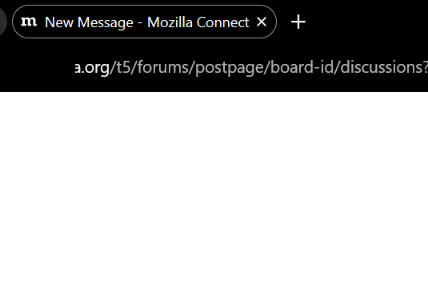
HATE the new rounded tabs. Seems like an unnecessary change. Stop trying to look like Chrome
Solved! Go to Solution.

- Mark as New
- Bookmark
- Subscribe
- Mute
- Subscribe to RSS Feed
- Permalink
- Report Inappropriate Content
01-10-2026 08:10 AM
To undo most of them:
In the URL bar type about:config then press ENTER
Accept any warning and continue
On the next page, search for nova
Double-click the line "browser.nova.enabled" to change it to "false"
- Mark as New
- Bookmark
- Subscribe
- Mute
- Subscribe to RSS Feed
- Permalink
- Report Inappropriate Content
01-10-2026 06:26 AM
I assume you've changed the setting to reverse the change?
- Mark as New
- Bookmark
- Subscribe
- Mute
- Subscribe to RSS Feed
- Permalink
- Report Inappropriate Content
01-10-2026 07:57 AM
Dont know how
- Mark as New
- Bookmark
- Subscribe
- Mute
- Subscribe to RSS Feed
- Permalink
- Report Inappropriate Content
01-10-2026 08:10 AM
To undo most of them:
In the URL bar type about:config then press ENTER
Accept any warning and continue
On the next page, search for nova
Double-click the line "browser.nova.enabled" to change it to "false"
- Mark as New
- Bookmark
- Subscribe
- Mute
- Subscribe to RSS Feed
- Permalink
- Report Inappropriate Content
01-10-2026 09:40 AM
Thanks

- **bleep** you firefox, update and clean all my tab groups. alway in Discussions
- 157.0.1 Vertical Tab Sidebar needs option to go back to thinner version in Discussions
- A thinner Vertical Tab Sidebar needed (ver 157.0.1). in Discussions
- Firefox Session Restore is fundamentally untrustworthy in Discussions
- "Editing" a shortcut no longer works since the new Firefox update. in Discussions
